
Victron Energy
Collection →
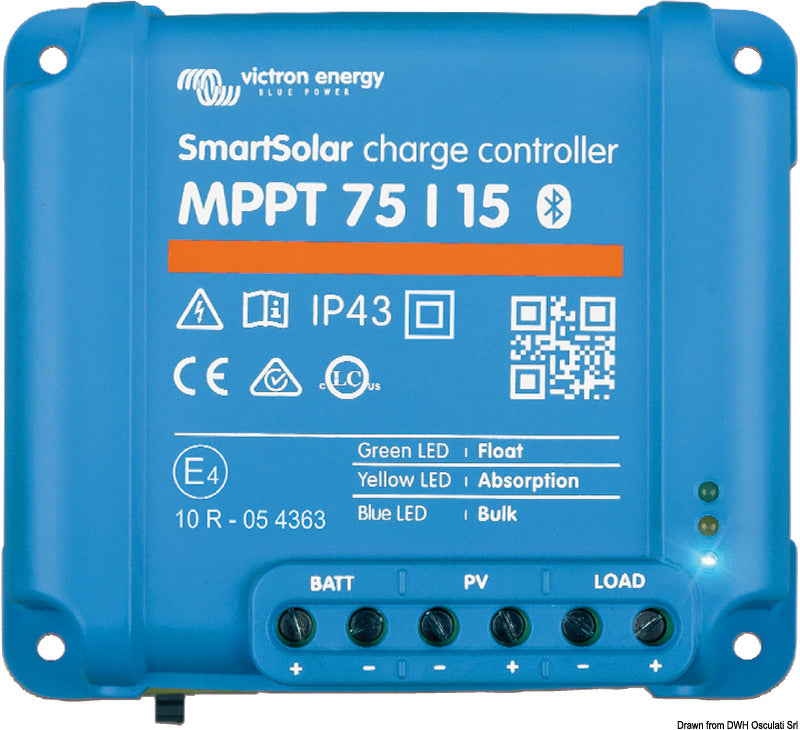
Victron Smart - Solar Charge Controllers
€95,95
incl. VAT 25.5%
MPPT technology12V / 24VBluetooth readyVE.DirectIP43 protection
The Victron Smart Solar Charge Controller is a highly efficient MPPT solar charger with 98% efficiency and built-in Bluetooth connectivity for seamless off-grid and marine power systems. Configure and monitor your system in real-time using the Victron Connect app.
Select model4 options
Victron SmartSolar charge controller MPPT 75/10
10A — max 75V Solar Input
€95,95
Victron SmartSolar charge controller MPPT 75/15
15A — max 75V Solar Input
€82,95
Victron SmartSolar charge controller MPPT 100/15
15A — max 100V Solar Input
€104,50
Victron SmartSolar charge controller MPPT 100/30
30A — max 100V Solar Input
€164,50
In stock
95 % of orders ship within 4 business days
Does this fit your boat?
Sign in and add your boat and we will show compatibility automatically. My boat →
Free shipping on orders over 100€ · Free returns within 14 days
Compatibility
Boat types
Battery types
Panel capacity
Use cases
Solar energy harvesting
Optimises solar panel output with MPPT technology — up to 30% more power than conventional charge controllers
Sailboats & motorboats
Compatible with 12V and 24V systems — ideal for marine and mobile off-grid installations
Smart charge management
Automatic battery type detection: lithium, GEL, AGM and conventional lead-acid
System integration
VE.Direct port enables connection to Victron GX devices and the VictronConnect app
Specifications
ModelMPPT 75/10
Max charge A10
V max voltage PV75
misure mm110x113x40
peso0,5
Max Solar Input75V or 100V Voc
Max Charge Current10–30A
Battery Voltage12V / 24V auto
Efficiency>98%
EnclosureIP43 (10/15/20A) / IP65 (30A) marine-grade
Temperature range-30°C to +40°C
CommunicationVE.Direct, Bluetooth
Country of originIndia
Installation guide
1
Check system voltage
Confirm the battery bank voltage (12V or 24V) matches the controller's rated voltage before starting installation.
2
Connect the battery first
Connect the battery terminals first — positive (+) before negative (−). This allows the unit to detect the system voltage correctly.
3
Connect the solar panel
Attach the panel cables to the controller. Verify polarity before connecting. The controller will automatically enter charge mode when sufficient light is available.
4
Configure with VictronConnect
Download VictronConnect, connect via Bluetooth or VE.Direct and set the battery type and charge parameters for your installation.

Reviews
Customer reviews will appear here once you enable a product reviews app.
